# Prisma Adds Support for MongoDB — Join Our Launch Week Celebrations 🎉
URL: https://www.prisma.io/blog/mongodb-general-availability-pixnun6mffmu
Published: 2022-04-05
Authors: Nikolas Burk
Tags: announcement, orm
Description: Prisma now supports MongoDB! Read this article to learn more about the benefits developers get when using MongoDB with Prisma and join our one-week celebration at the end of April.
> Blog posts describe Prisma as it was on the date shown and are not kept current. Before implementing from a post, check the documentation index at https://www.prisma.io/docs/llms.txt and the changelog at https://www.prisma.io/changelog.md.
> For an index of every published post, fetch https://www.prisma.io/blog/llms.txt.
We are excited to share that today's Prisma ORM [release](https://github.com/prisma/orm/releases/tag/3.12.0) adds stable and production-ready support for MongoDB! Join our celebrations during the [launch week](https://www.prisma.io/mongodb) **April 25-29**.
## Prisma + MongoDB = 💚 [#prisma--mongodb--]
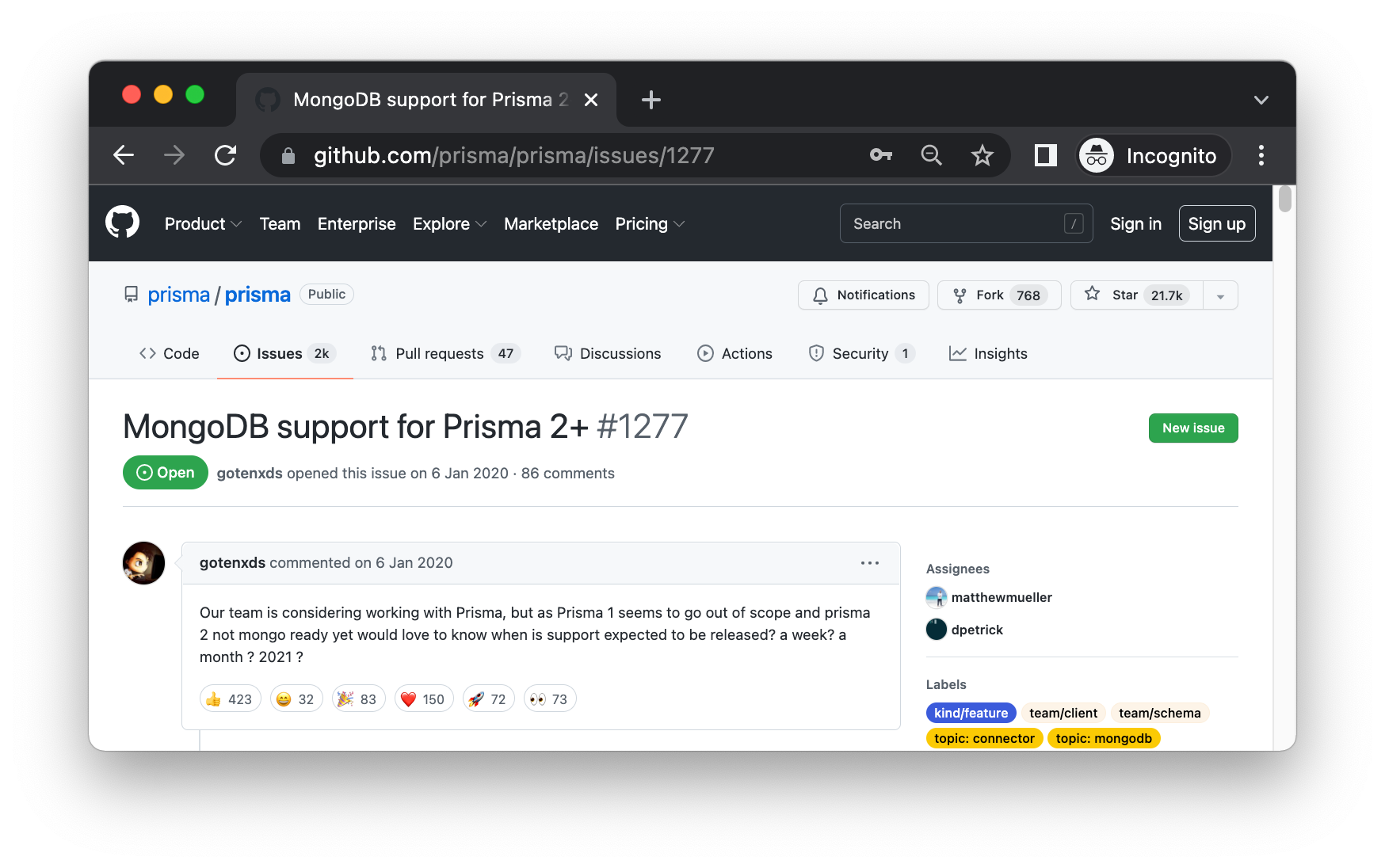
Support for [MongoDB](https://www.mongodb.com/) has been one of the [most requested features](https://github.com/prisma/orm/issues/1277) since the initial release of the Prisma ORM. Using both technologies together makes developers more productive and allows them to ship more ambitious software faster.
### No more data inconsistencies thanks to the Prisma schema [#no-more-data-inconsistencies-thanks-to-the-prisma-schema]
Node.js developers love MongoDB for the flexibility it provides and a familiar JSON-based data model! However, being a *schemaless* database means that MongoDB users can easily run into data inconsistencies as their projects start to evolve and grow in size.
With Prisma, developers can easily define a *schema* for the data that they want to store in MongoDB. This has several benefits:
* The data structures inside of MongoDB become explicit.
* The consistency of the data stored in MongoDB is ensured by Prisma.
* All team members are aware of the data stored inside of MongoDB.
Prisma schemas are written in Prisma's intuitive and human-readable modeling language, here's what an example looks like:
```prisma
model User {
id String @id @default(auto()) @map("_id") @db.ObjectId
createdAt DateTime @default(now())
updatedAt DateTime @updatedAt
email String? @unique
posts Post[]
profile Profile?
}
model Post {
id String @id @default(auto()) @map("_id") @db.ObjectId
title String
content String?
published Boolean @default(false)
author User @relation(references: [id], fields: [authorId], onDelete: Cascade)
authorId String @db.ObjectId
}
type Profile {
firstName String
lastName String
profilePicture String?
department Department?
}
enum Department {
Marketing
Sales
Engineering
}
```
Prisma's data model makes it particularly easy to work with *relations*. In the schema example above, you see a one-to-many relation from `User` to `Post` via a [*reference*](https://www.mongodb.com/docs/manual/tutorial/model-referenced-one-to-many-relationships-between-documents/) as well as the `Profile` type which represent an [*embedded document*](https://www.mongodb.com/docs/manual/tutorial/model-embedded-one-to-one-relationships-between-documents/) on the `User` model.
### Auto-completing database queries [#auto-completing-database-queries]
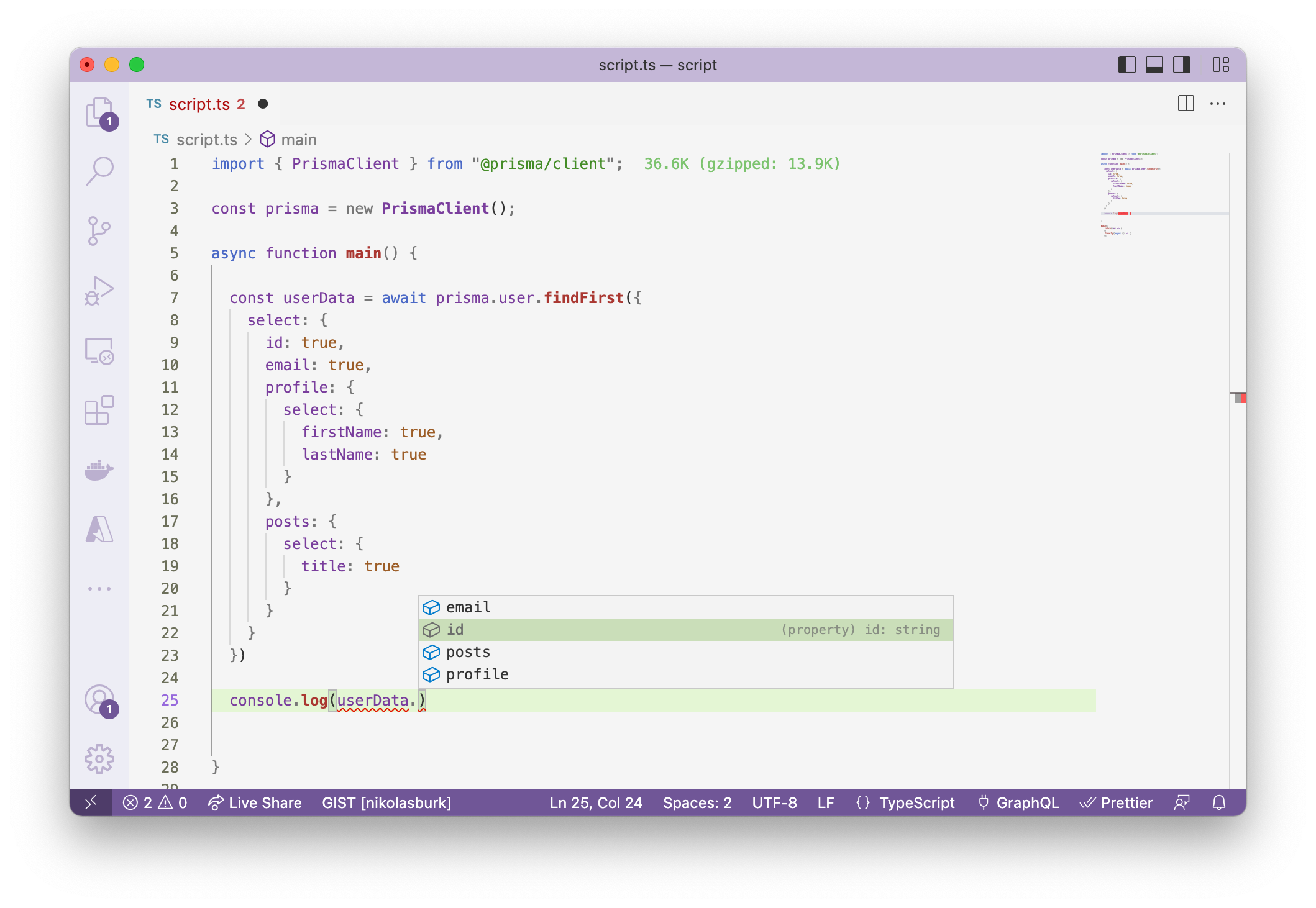
Similar to MongoDB, Prisma also provides a database client that you can use to query your MongoDB database: Prisma Client. One of the main differences between the two is that Prisma Client is *aware* of the schema you define, so it can help you write your queries via auto-completion.
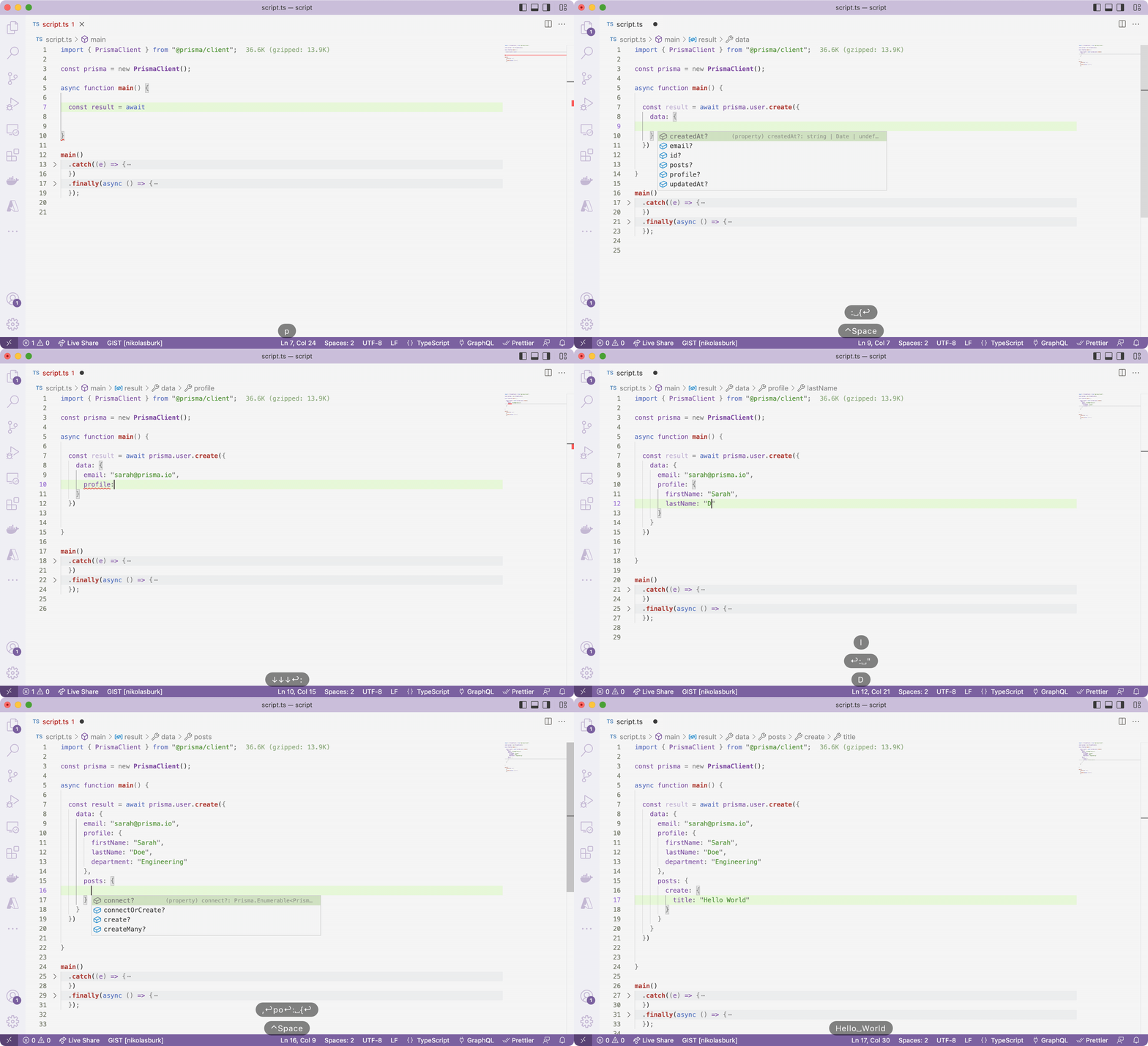
Prisma also allows you to fall back to MongoDB's native query API when you need to run more specialized queries against your MongoDB instance.
### Cascading deletes/updates on reference-based relations [#cascading-deletesupdates-on-reference-based-relations]
MongoDB doesn't natively support *referential actions* (i.e. cascading deletes/updates). Prisma "polyfills" this functionality and allows developers to configure these in the Prisma schema and can therefore can contribute to the [referential integrity](https://en.wikipedia.org/wiki/Referential_integrity) of the data in your MongoDB database.
In the data model above, the `@relation` attribute on the `author` field uses `onDelete: Cascade`. This means that when a `User` document is deleted, all the `Post` documents that were related to it are deleted as well.
### Prisma makes MongoDB type-safe [#prisma-makes-mongodb-type-safe]
Prisma especially starts to shine when it's used in a TypeScript application as it provides extremely strong type-safety guarantees.
For example, consider this query where we specify via the `select` option which fields of the `User` model (and its relations) should be returned in the response:
```ts
const userData = await prisma.user.findFirst({
select: {
id: true,
email: true,
profile: {
select: {
firstName: true,
lastName: true
}
},
posts: {
select: {
title: true
}
}
}
})
```
```ts
const userData: {
id: string;
email: string | null;
profile: {
firstName: string;
lastName: string;
} | null;
posts: {
title: string;
}[];
} | null
```
If you select the **Generated Type** tab in the code snippet above, you see that the type of the resulting `userData` constant is now tailored to the fields that are selected in the query.
This has two main benefits:
* The TypeScript compiler will catch cases where you accidentally access a field that was not returned from the query.
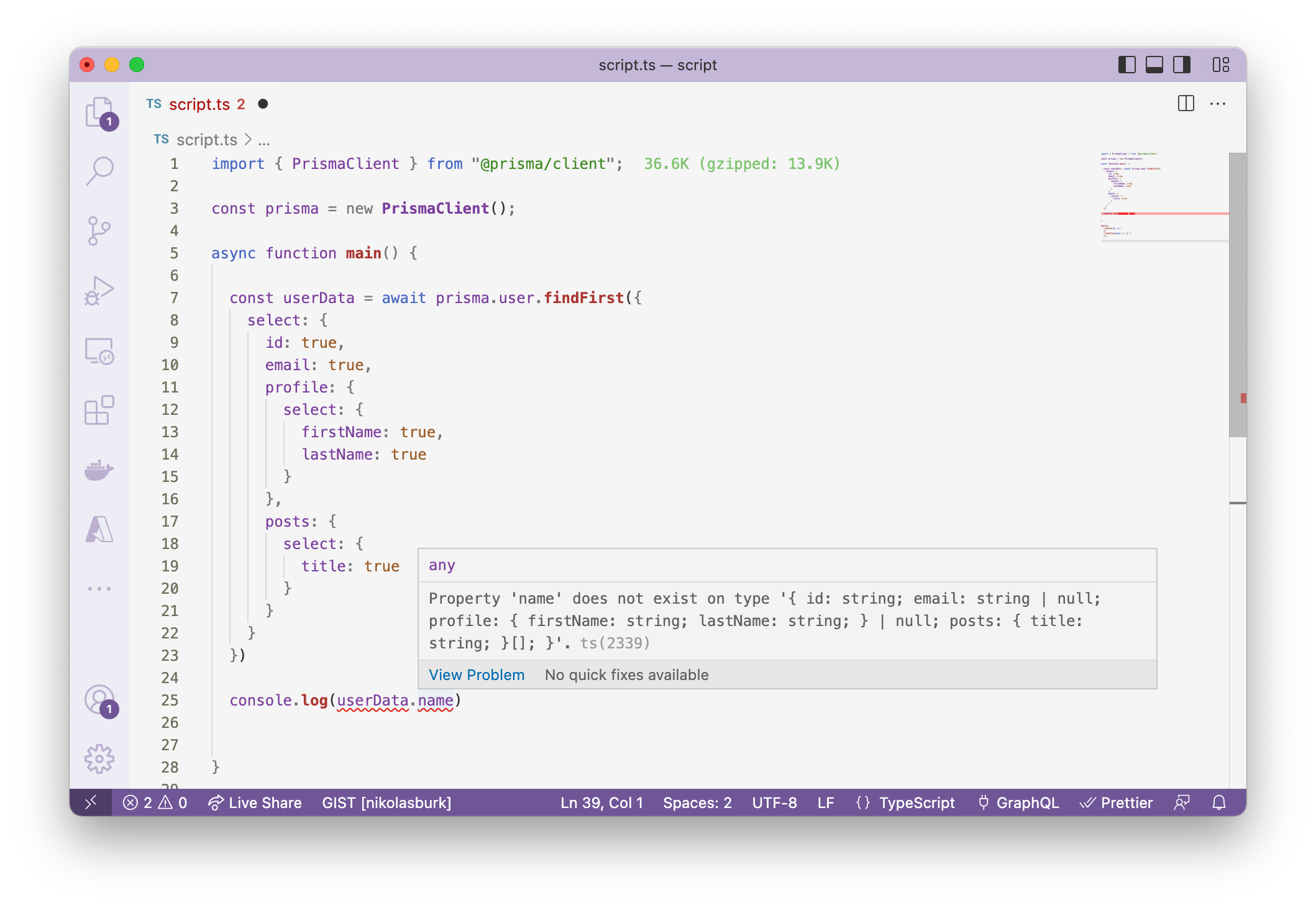
* Your auto-completion suggestions are tailored to the given type.
## Try out MongoDB with Prisma today [#try-out-mongodb-with-prisma-today]
We are excited to see what you're going to build with MongoDB and Prisma! You can get started with MongoDB in our documentation (see buttons below).
### Get started from scratch ... [#get-started-from-scratch-]
To get started with MongoDB and Prisma, you can follow our guide to set up a new project from scratch.
[Start from scratch with MongoDB](https://www.prisma.io/docs/prisma-orm/quickstart/mongodb)
### ... or use Prisma with your existing MongoDB database [#-or-use-prisma-with-your-existing-mongodb-database]
If you already have an existing project that uses a MongoDB database, you can easily start to incrementally adopt Prisma.
Prisma has an *introspection* features that reads the structures of the documents you have stored in your MongoDB collections and creates according Prisma models. We are also going to publish a migration guide from Mongoose [soon](https://github.com/prisma/web/issues/2793).
[Add Prisma to existing MongoDB project](https://www.prisma.io/docs/prisma-orm/add-to-existing-project/mongodb)
## Join us for a week of celebrations 🎉 [#join-us-for-a-week-of-celebrations-]
To celebrate MongoDB support in Prisma, we are planning a launch week at the end of April with lots of fun activities, new content and awesome events!
* Date: **April 25 - 29**
* Location: **Virtual**
* Website: [**https://www.prisma.io/mongodb-launch**](https://www.prisma.io/mongodb)
Sign up via the website above to join us for the launch week! You can also [**submit a talk proposal for our Showcase Lightning Talks (\~3min)**](https://prisma-data.typeform.com/to/GvDz1Tzz) if you are building something with MongoDB and Prisma and want to talk about it during the launch week!